Connect Calm Your Inbox to Gmail
Setup time: 4 minutes
Calm Your Inbox uses an app password to securely access Gmail.
This password is generated by Google and is separate from your main account password.
Step 1: Turn on 2-Step Verification
💡 If you already have 2-Step Verification enabled, you can skip this step.
To create an app password, you first need to enable 2-Step Verification on your Google Account.
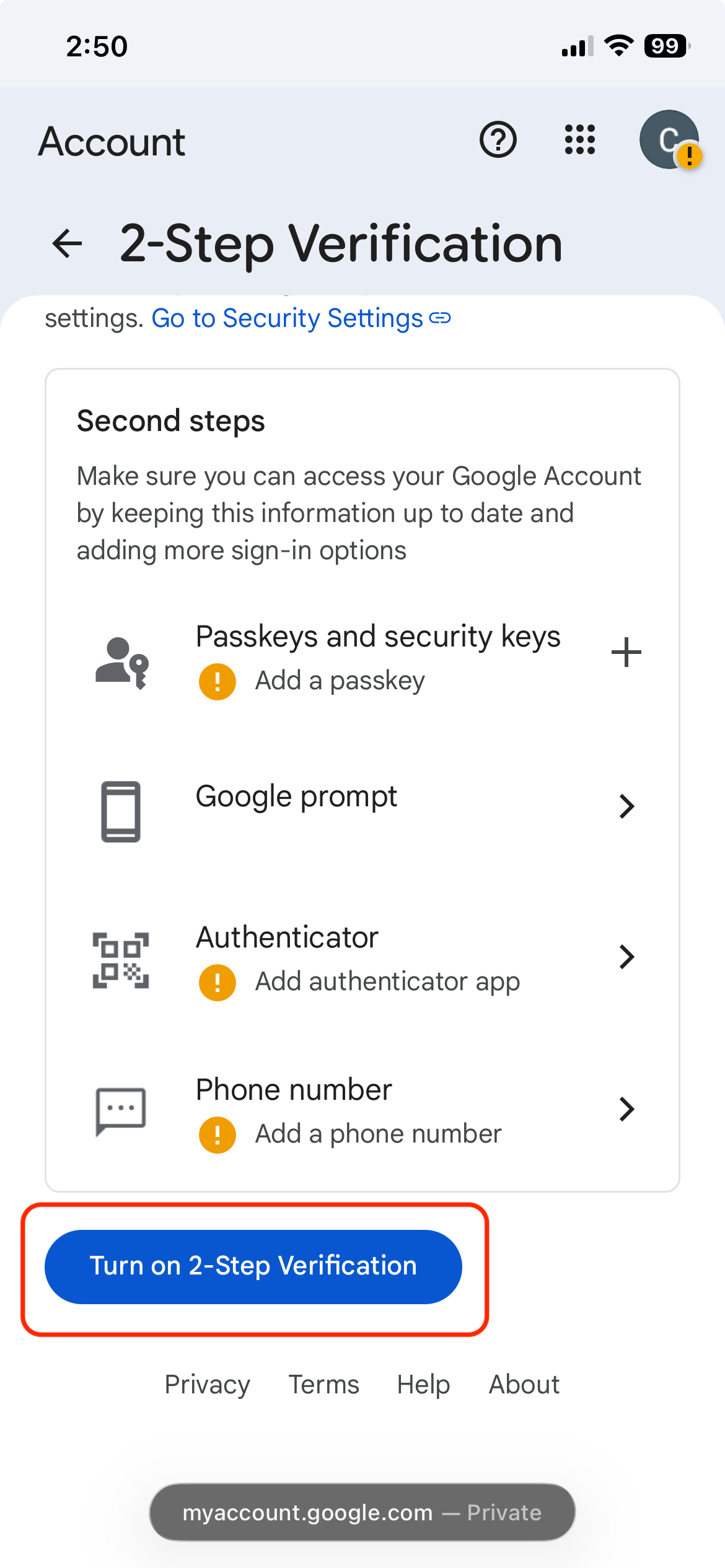
- Open your Google Account’s 2-Step Verification settings.
- Click Turn on 2-Step Verification and follow the steps to enable it.
Once that’s enabled, continue to Step 2 to create an app password.
Step 2: Create an app password
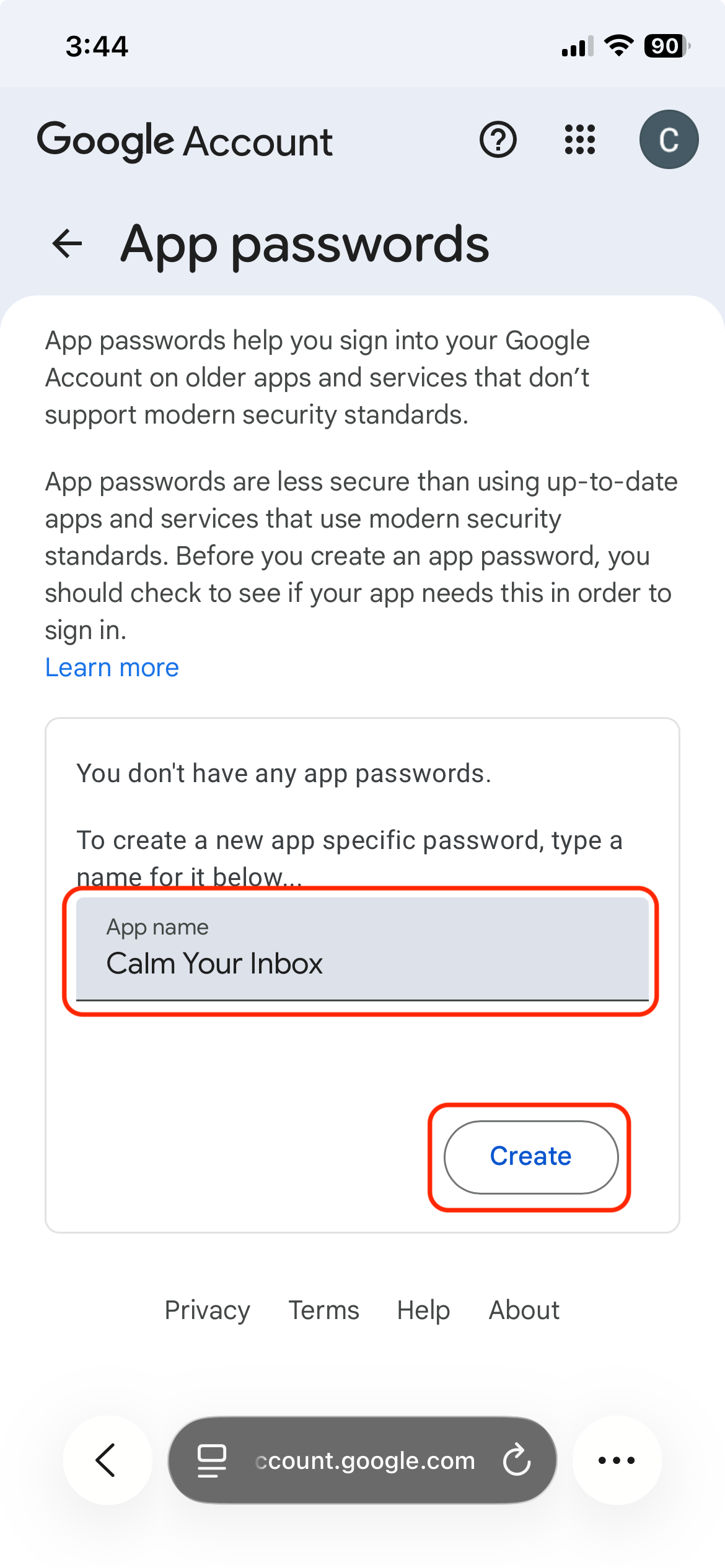
- Open your Google Account’s app passwords page.
- Under App name enter a memorable name such as Calm Your Inbox to distinguish it from other app passwords.
- Click Create.
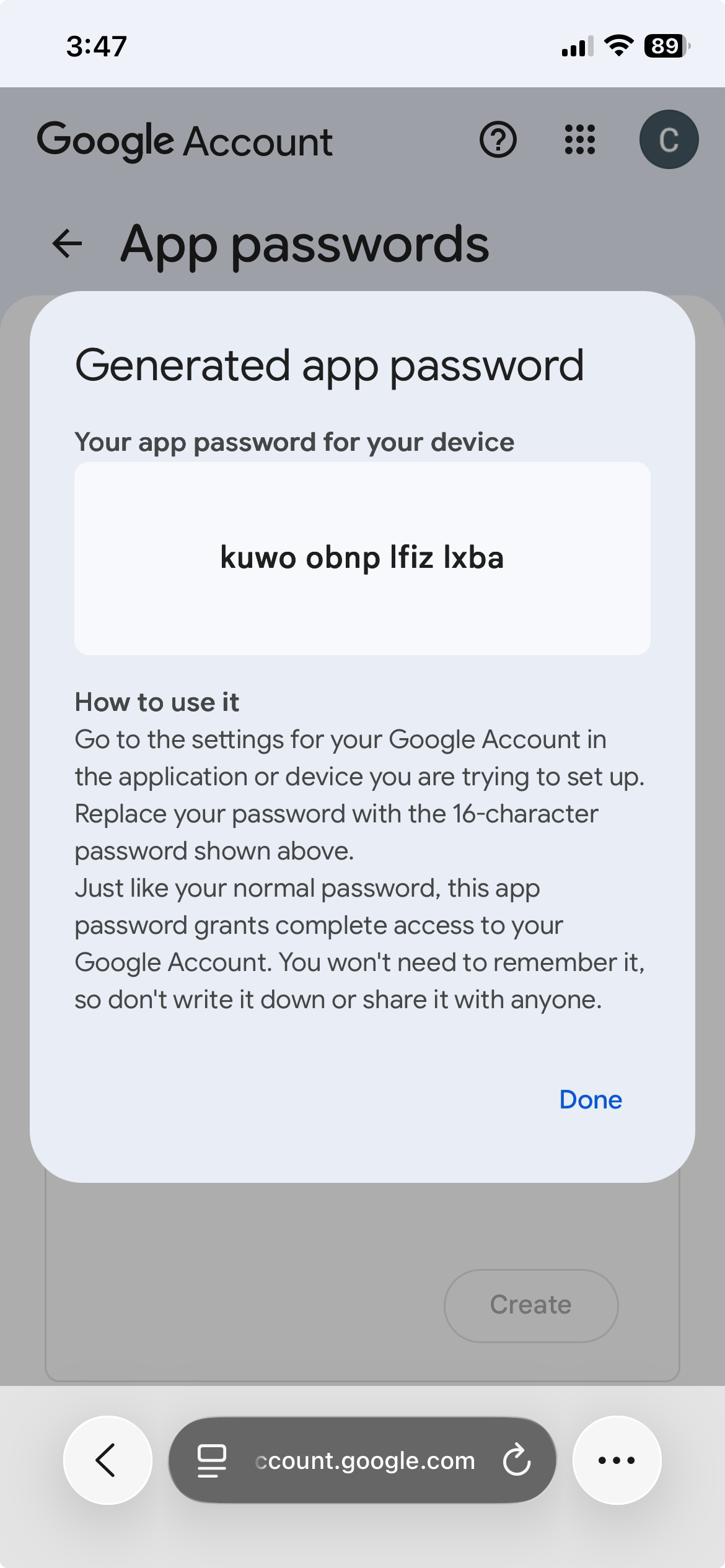
Google will generate a 16‑character app password.
⚠️ Copy this password immediately — you won’t be able to see it again.
Store it in a password manager to keep it safe and accessible.
Step 3: Connect to Calm Your Inbox
Return to Calm Your Inbox and:
- Enter your Gmail email address
- Paste the app password you just generated
🎉 That’s it — you’re connected!
Revoking access
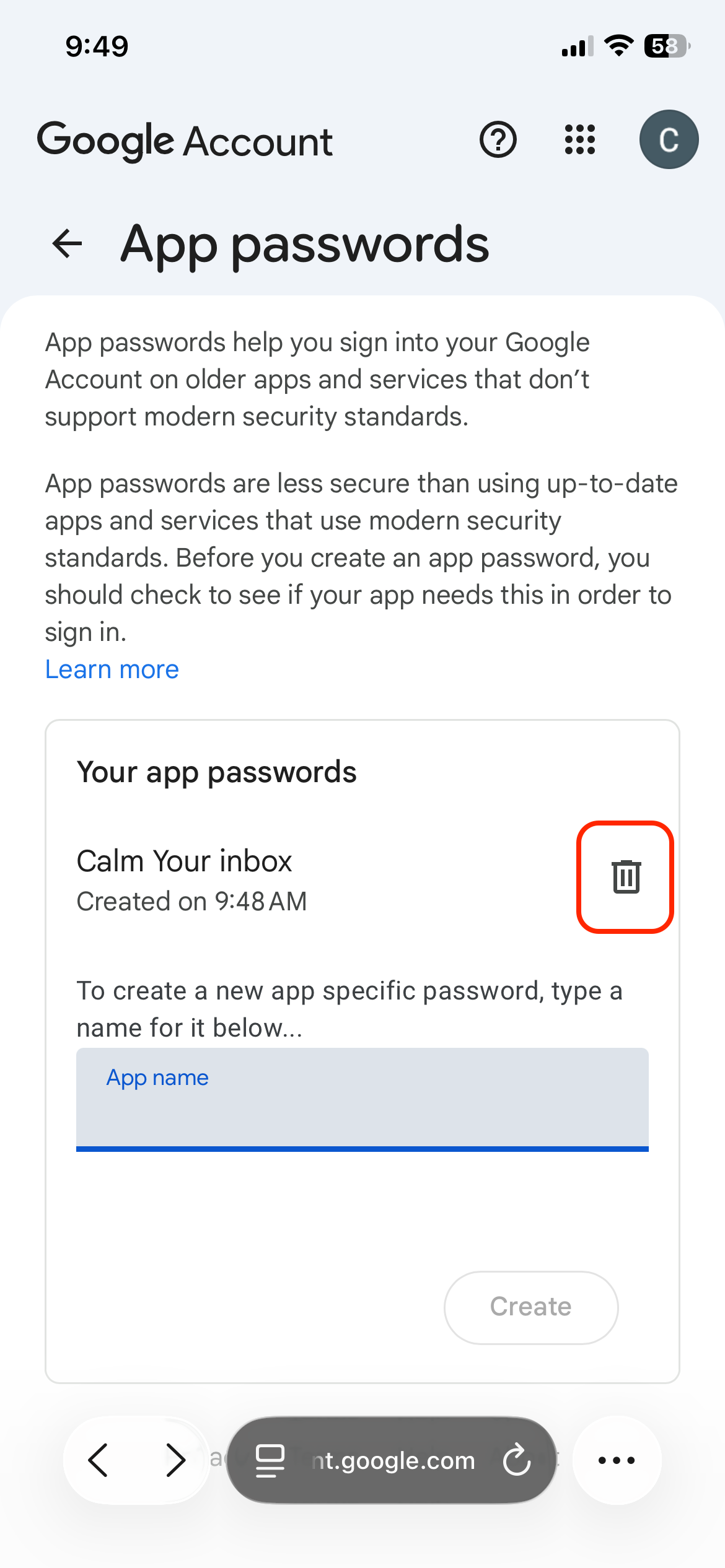
🚫 You can disable the app password at any time by returning to the app passwords page and clicking the icon.
Still need help?
Email us at hello@calmyourinbox.com, or schedule a quick onboarding call.