Connect Calm Your Inbox to Outlook
Setup time: 1 minute
Calm Your Inbox requires IMAP access to be enabled in your Outlook settings.
Please complete these steps using a desktop browser as these settings aren’t available on mobile.
Step 1: Enable IMAP Access in Outlook.com
- Sign-in to Outlook.
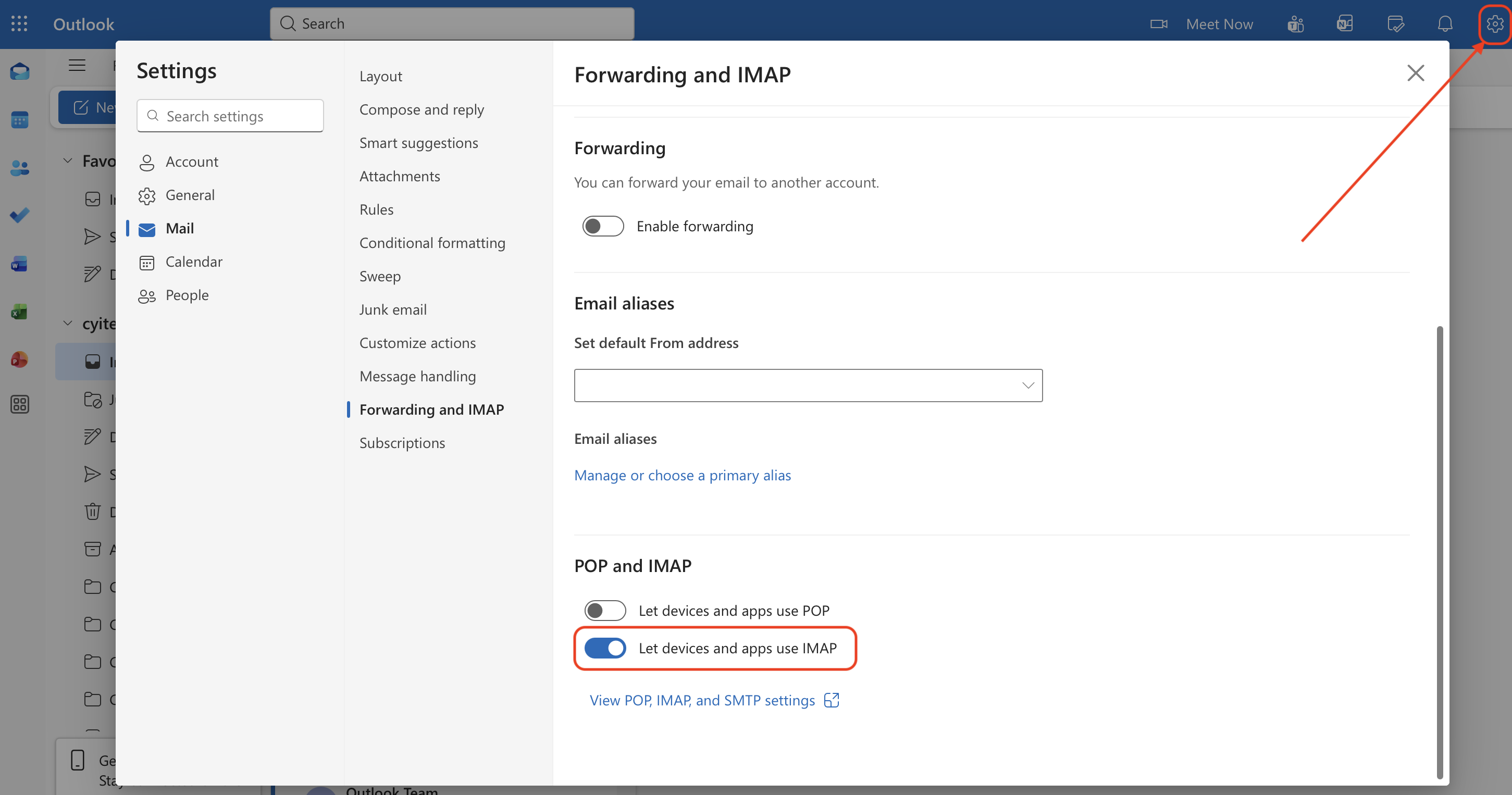
- At the top of the page, select Settings .
- Go to Mail > Forwarding and IMAP.
- Enable “Let devices and apps use IMAP”.
Step 2: Connect to Calm Your Inbox
Return to Calm Your Inbox and log-in with Microsoft.
🎉 That’s it — you’re connected!
Still need help?
Email us at hello@calmyourinbox.com, or schedule a quick onboarding call.